Layouts
Block Farm Editor supports two types of layouts that help you create and reuse block configurations in your Umbraco application.
Block Layouts
Block layouts allow you to save any block and its child blocks as a reusable layout. This is useful when you have a common arrangement of blocks that you want to use multiple times across different pages or sections.
Saving a Block Layout
To save a block layout:
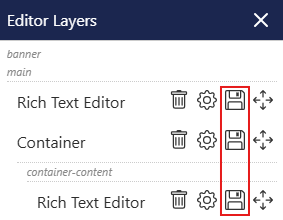
- Navigate to the block you want to save in the Block Farm Editor
- Click the save button on the block
- Give your layout a meaningful name
- The block and all its nested child blocks will be saved as a reusable layout
Using a Block Layout
To insert a saved block layout:
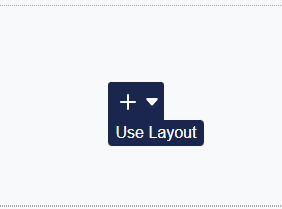
- Click any Add New button where you want to insert blocks
- Click the insert layout icon
- Select the layout you want to use from the list
- The block layout will be inserted with all its configured child blocks
Block layouts are perfect for creating reusable components like card grids, feature sections, or any repeating content patterns.
Full Page Layouts
Full page layouts allow you to save and reuse entire page configurations through the Layers dialog. This provides a comprehensive way to create template pages with predefined block structures.
Saving a Full Page Layout
To save a full page layout:
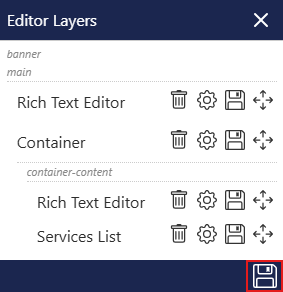
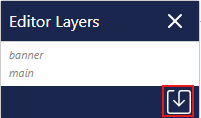
- Open the Layers dialog in the Block Farm Editor
- Configure your page with all the blocks you want to include in the layout
- Click the save icon in the Layers dialog
- Give your full page layout a descriptive name
- The entire page structure will be saved as a reusable layout
Using a Full Page Layout
Important: Full page layouts can only be used when there are no blocks currently in use on a page.
To insert a full page layout on a new page:
- Ensure the page has no existing blocks
- Open the Layers dialog
- Click the insert icon in the Layers dialog
- Select the full page layout you want to use
- The entire page structure will be inserted with all configured blocks
Full page layouts are ideal for creating consistent page templates across your site, such as landing pages, contact pages, or standardized content layouts.
Layout Management
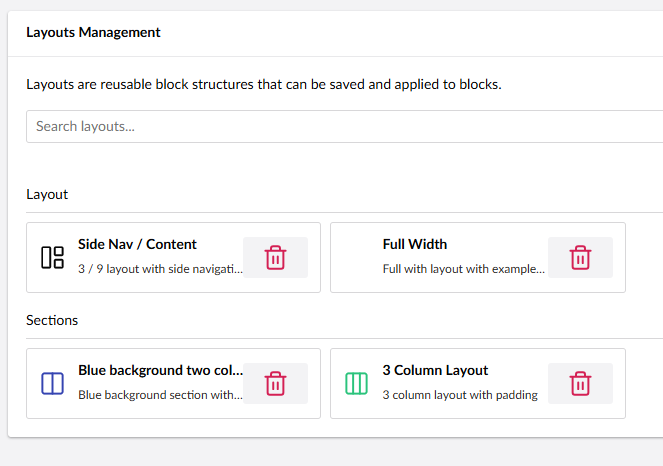
Layouts are managed from the Block Farm Editor settings in the Umbraco backoffice. This is where you can review your saved layouts and keep them tidy over time.
From Block Farm Editor settings you can:
- View existing saved layouts
- Delete layouts you no longer need